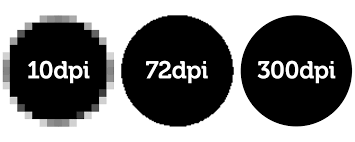

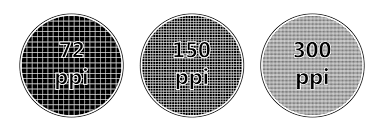
DPI: Stands for “Dots Per Inch.” DPI is used to measure the resolution of an image both on screen and in print. As the name suggests, the DPI measures how many dots fit into a linear inch. Therefore, the higher the DPI, the more detail can be shown in an image.
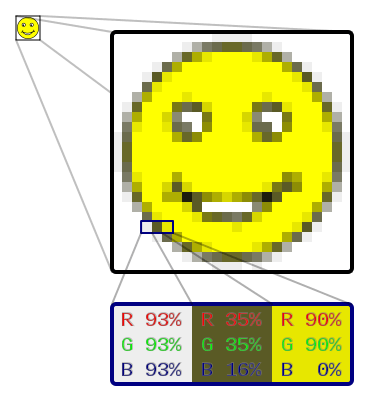
Pixel: The term “pixel” is actually short for “Picture Element.” These small little dots are what make up the images on computer displays, whether they are flat-screen (LCD) or tube (CRT) monitors. The screen is divided up into a matrix of thousands or even millions of pixels. Typically, you cannot see the individual pixels, because they are so small.
Raster Images: Most images you see on your computer screen are raster graphics. Pictures found on the Web and photos you import from your digital camera are raster graphics. They are made up of grid of pixels, commonly referred to as a bitmap. The larger the image, the more disk space the image file will take up.Since raster graphics need to store so much information, large bitmaps require large file sizes.
Image Resolution: Resolution measures the number of pixels in a digital image or display. It is defined as width by height, or W x H, where W is the number of horizontal pixels and H is the number of vertical pixels. A digital photo that is 3,088 pixels wide by 2,320 pixels tall has a resolution of 3088 × 2320. Multiplying these numbers together produces 7,164,160 total pixels. Since the photo contains just over seven million pixels, it is considered a “7 megapixel” image. Digital camera resolution is often measured in megapixels, which is simply another way to express the image resolution.
PPI: Stands for “Pixels Per Inch.” The resolution of a printed photo is often measured in DPI, or “dots per inch.” PPI measures the number of pixels per line per inch in a digital photo. This number is directly related to the number of megapixels a digital camera can capture.
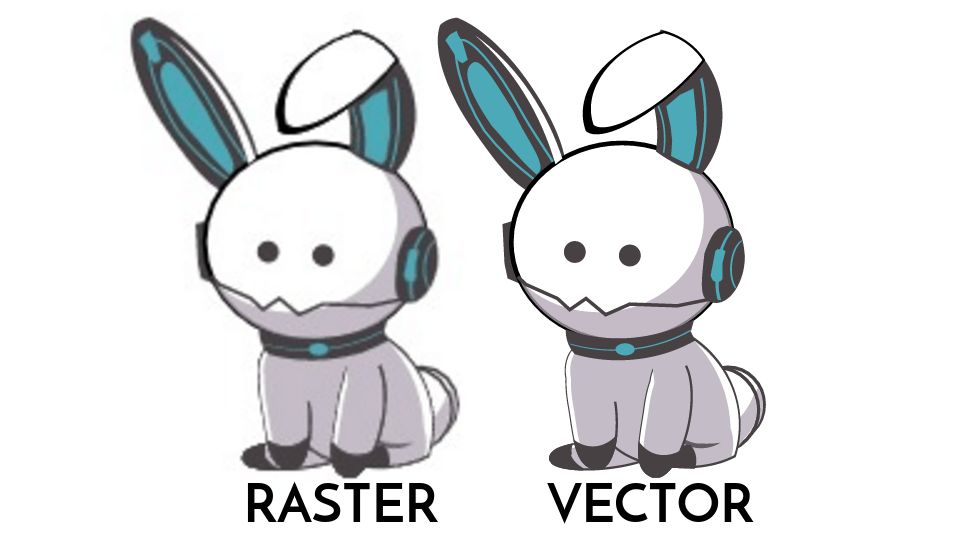
Vector Images: Unlike JPEGs, GIFs, and BMP images, vector graphics are not made up of a grid of pixels. Instead, vector graphics are comprised of paths, which are defined by a start and end point, along with other points, curves, and angles along the way. A path can be a line, a square, a triangle, or a curvy shape. These paths can be used to create simple drawings or complex diagrams. Paths are even used to define the characters of specific typefaces. Because vector-based images are not made up of a specific number of dots, they can be scaled to a larger size and not lose any image quality. If you blow up a raster graphic, it will look blocky, or “pixelated.” When you blow up a vector graphic, the edges of each object within the graphic stay smooth and clean. This makes vector graphics ideal for logos, which can be small enough to appear on a business card, but can also be scaled to fill a billboard.
Definitions found from TechTerms

 Art Bananas